
Home › Features › Time & Arrears Adjustment

Time & Arrears AdjustmentTime & Arrears Adjustment

Make payroll adjustments simple and accurate

Need to adjust an employee’s time or pay after a pay period has already been processed?

The Time & Arrears Adjustment add-on makes it easier to adjust time and pay information from the previous pay period, with changes clearly reflected on payslips and payroll reports.

No complicated workarounds. Just clear, accurate adjustments within your normal payroll process.
https://crystalpayroll.com/wp-content/uploads/2026/09/Diagram-Adjustment.png
An easier way to correct previous pay information
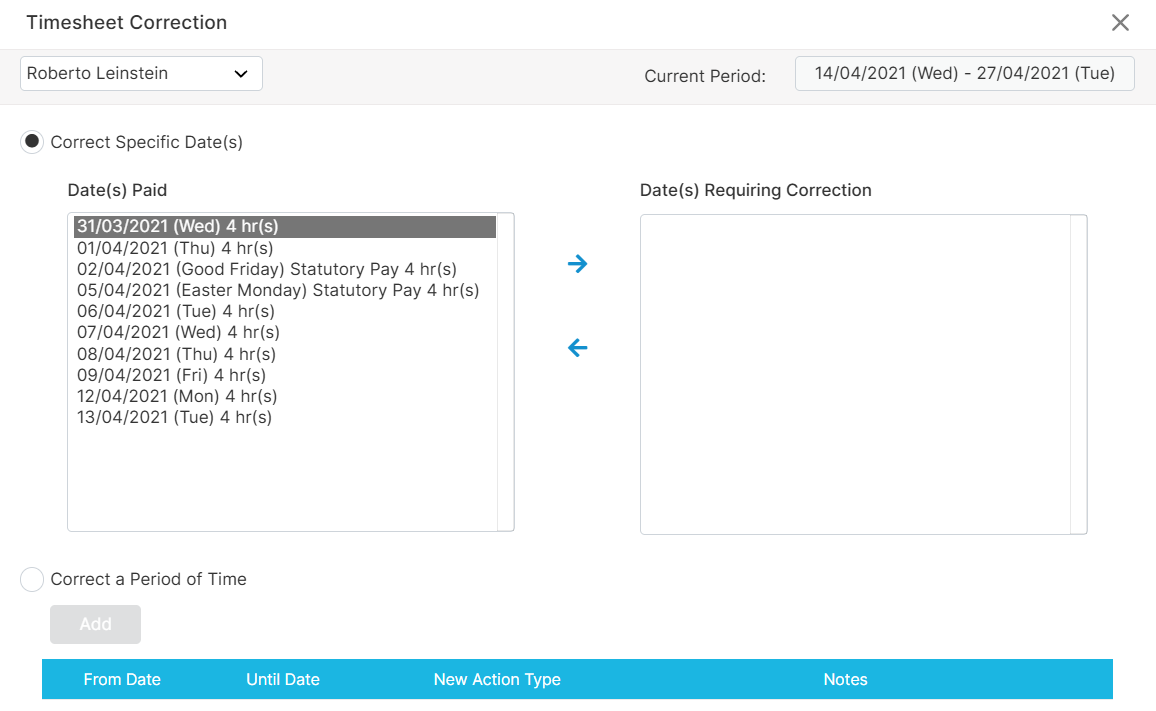
Sometimes payroll information arrives late or needs to be changed. An employee may have worked different hours, used another type of leave or missed a payment from an earlier pay run. The Time & Arrears Adjustment tool gives Crystal Payroll customers a simpler way to process these changes. Select the relevant employee and pay period, enter the adjustment and include it in your next pay run. Within Crystal Payroll, you can find this add-on under Timesheet Correction.
https://crystalpayroll.com/wp-content/uploads/2026/09/Timesheet-Correction-Img0.png
Make previous-period adjustments with ease
Payroll doesn't always go exactly to plan. An employee may have worked different hours than originally recorded, leave may have been entered incorrectly, or a pay-rate change may need to be applied retrospectively.

With Time & Arrears Adjustment, you can make these adjustments in your current pay run without relying on complicated manual workarounds.

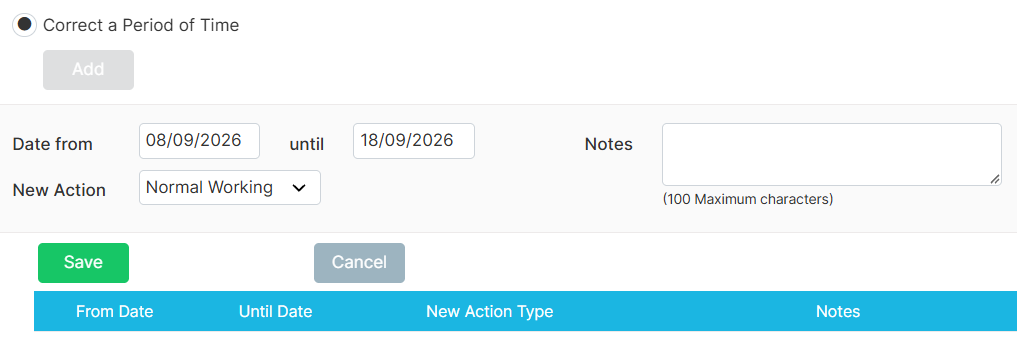
The add-on lets you select a specific date or a period, depending on the adjustment you need to make.
Adjust time, leave and arrears
Whether you need to change one day's entry or make an adjustment across several days, Time & Arrears Adjustment gives you a straightforward way to update the relevant payroll information. The add-on supports both specific-date and period adjustments, giving payroll teams flexibility when handling different types of changes.
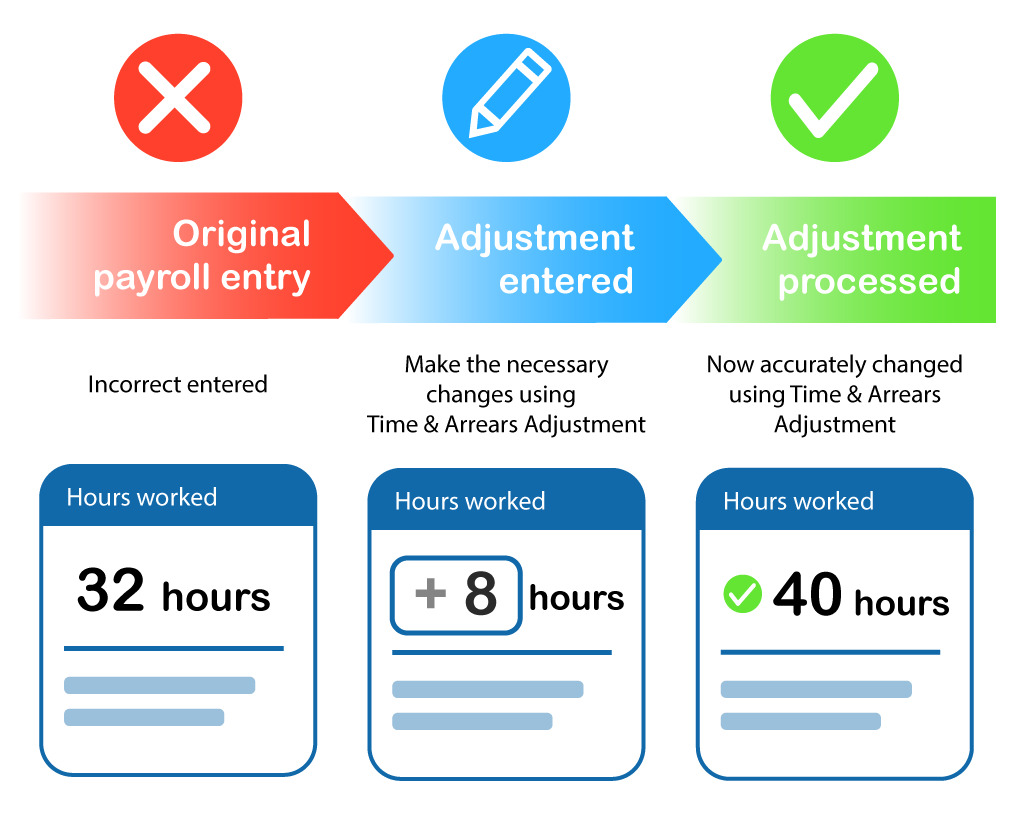
Adjust hours worked
Update an employee's recorded hours when the original entry does not reflect the hours actually worked.
Make retrospective pay adjustments
Apply a pay-rate change from the previous pay period where an adjustment is required.
Update leave entries
Change an incorrect work entry to the appropriate leave type, such as sick leave or annual leave.
Adjust a period of entries
For changes covering multiple days, select the relevant period rather than updating each individual date.
Keep adjustments clear and visible
When an adjustment is made, the changes are reflected in the employee's payslip and relevant pay-run reports.

Leave-related adjustments can also appear in leave history and other leave reports, helping you keep a clear record of what was changed.

This helps keep your payroll records clear and makes adjustments easier to review.
https://crystalpayroll.com/wp-content/uploads/2026/09/Timesheet-Correction-Img.png
Less manual work, clearer payroll records
Time & Arrears Adjustment brings previous-period adjustments into your payroll workflow, helping you avoid unnecessary manual calculations and workarounds.

Make the adjustment, process your payroll, and keep your payroll records clear.
Save time
Make adjustments directly within the payroll process instead of relying on separate manual workarounds.
Improve accuracy
Update hours, leave and other relevant payroll information to reflect what actually occurred.
Handle different adjustments
Choose a specific date or a period depending on the type of adjustment required.
Maintain leave records
Leave-related changes are also reflected in relevant leave history and reports.

Features from Crystal PayrollAvailable as an add-on

Time & Arrears Adjustment is available as a paid add-on for Crystal Payroll subscriptions.

Already using Crystal Payroll and want to add this feature?

Want to find out more about Crystal Payroll?

https://crystalpayroll.com/wp-content/uploads/2026/09/Timesheet-Correction-laptop.png
https://crystalpayroll.com/wp-content/uploads/2021/01/img-red-skew-1.png